The date period control panel on the room plan is a key tool that allows users to select and adjust the time frame for which reservations and room availability are displayed. It offers predefined ranges like 3 days, 1 week, 2 weeks, 1 month, and 1 year, as well as a custom option for selecting specific dates. This flexibility helps hotel staff quickly focus on the relevant period for managing bookings and planning operations efficiently.
Date Period Control Panel
The date control panel on the room plan is located on the right side of the navigation panel. The system offers six default date ranges: 3 days, 1 week, 2 weeks, 1 month, 1 year, and a custom date range that allows the user to manually adjust the period using the From and To fields.
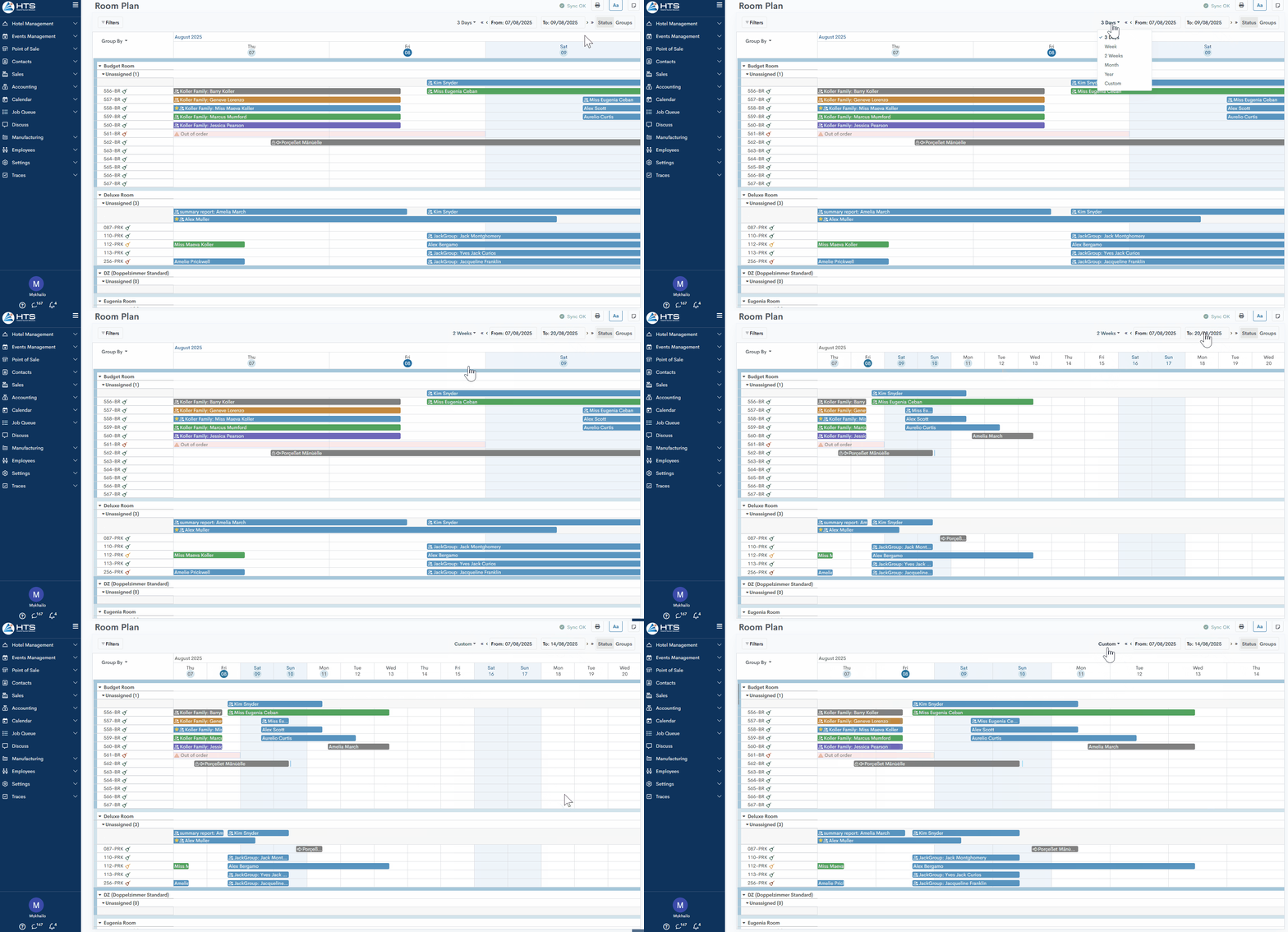
Additionally, this panel includes arrows that allow the user to navigate forward and backward within the selected period to view previous or upcoming reservations.

Default Room Plan settings
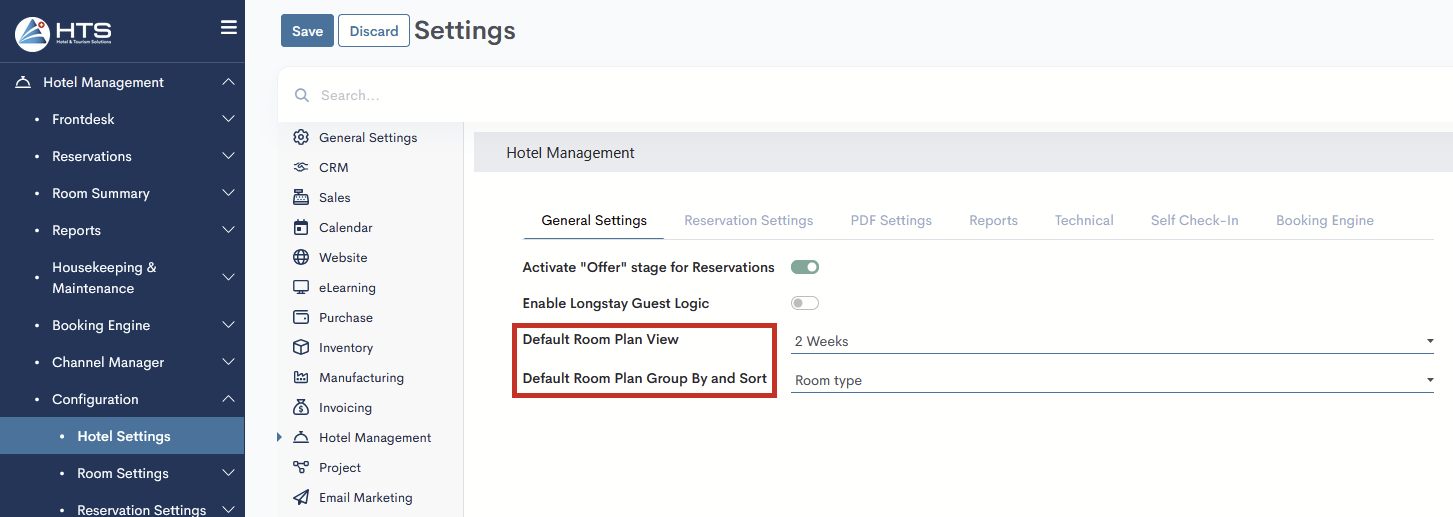
In the system settings, the user has the option to configure the default date range option and the Group By option. To do this, you need to open Hotel Management → Configuration → Hotel Settings, and in the General Settings tab, two fields will be available:
- Default Room Plan View - Select one of the five options (3 Days, Week, 2 Weeks, Month, Year), and this option will be applied each time the Room Plan is opened.
- Default Room Plan Group By and Sort - Select an option for how rooms will be displayed on the Room Plan: Room Type, Floors, A->Z, or Z->A.
Momentan sind keine Kommentare vorhanden.
, um als erster einen Kommentar zu hinterlassen.