The room plan should include filters and options for grouping and sorting reservations to help staff quickly find and manage bookings. Our system provides all the necessary tools to customize the view and work efficiently with reservation data.
Filter Options
The filter button is located in the top-left corner and offers the following filtering options: availability, room type, guest or group name, and property types. The system allows you to apply multiple types of filters at the same time. If needed, the user can remove a specific filter by clicking the "x" next to it or clear all filters at once by clicking "Remove all filters." 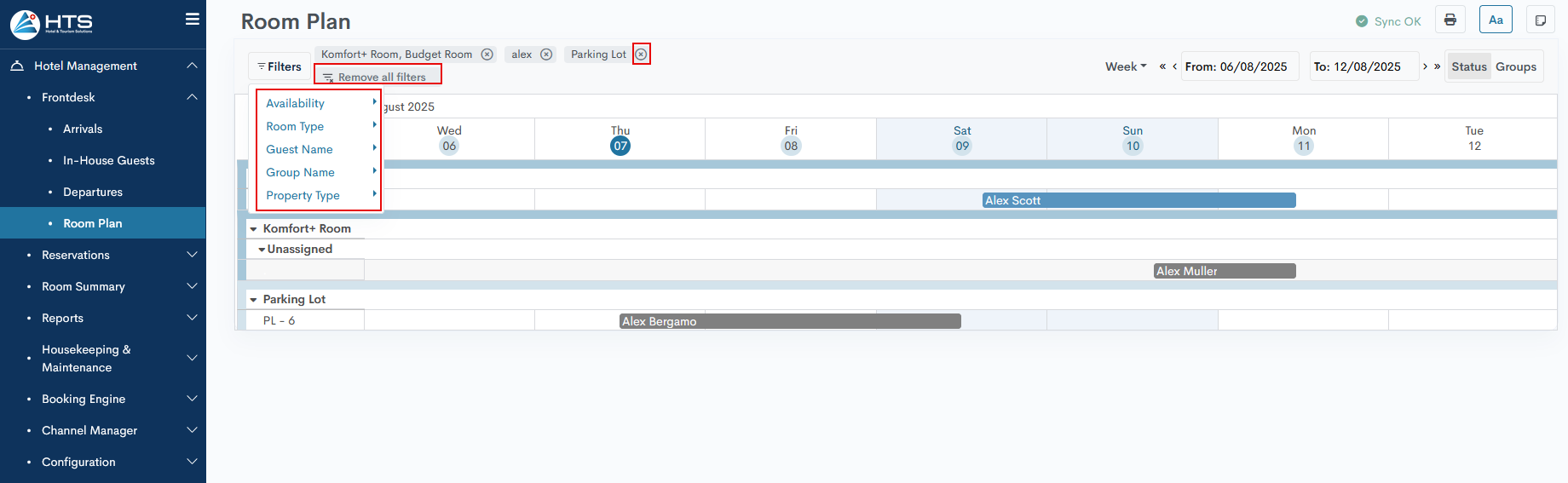
Availability
The Availability filter offers three options:
-
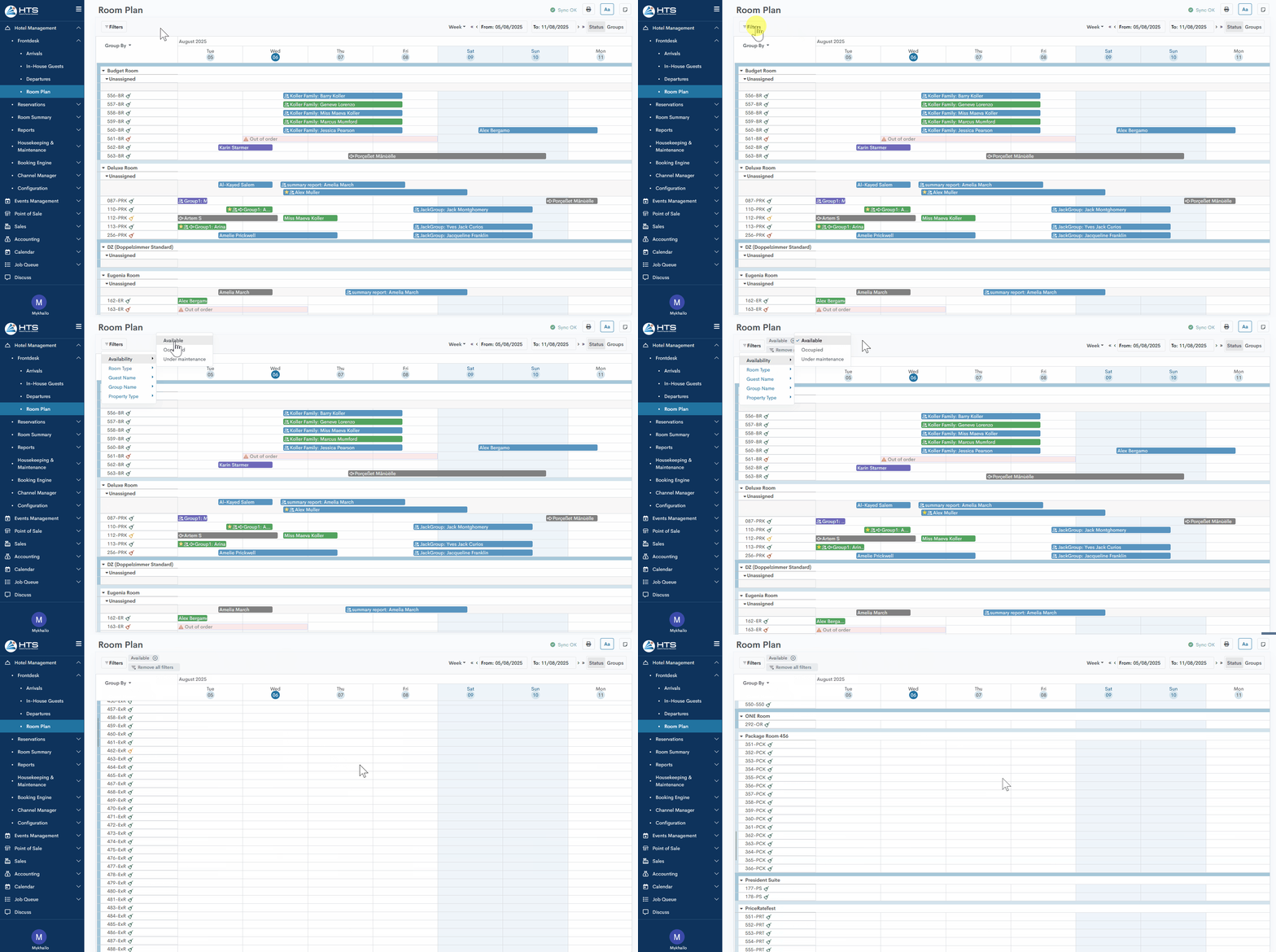
Available – the system filters all rooms and shows only those available for the entire selected time period.
-
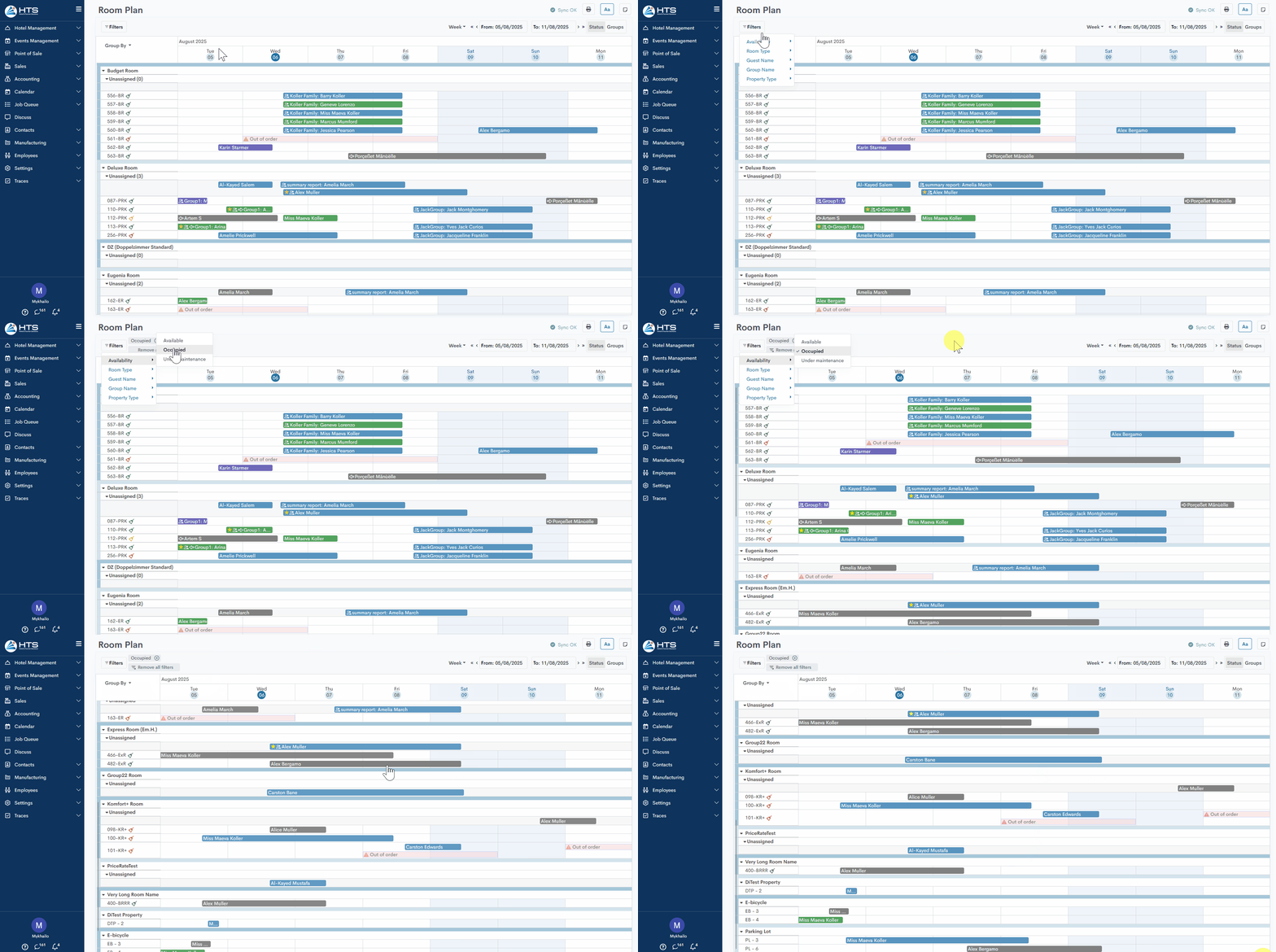
Occupied – filters rooms that have at least one reservation during the selected period.
-
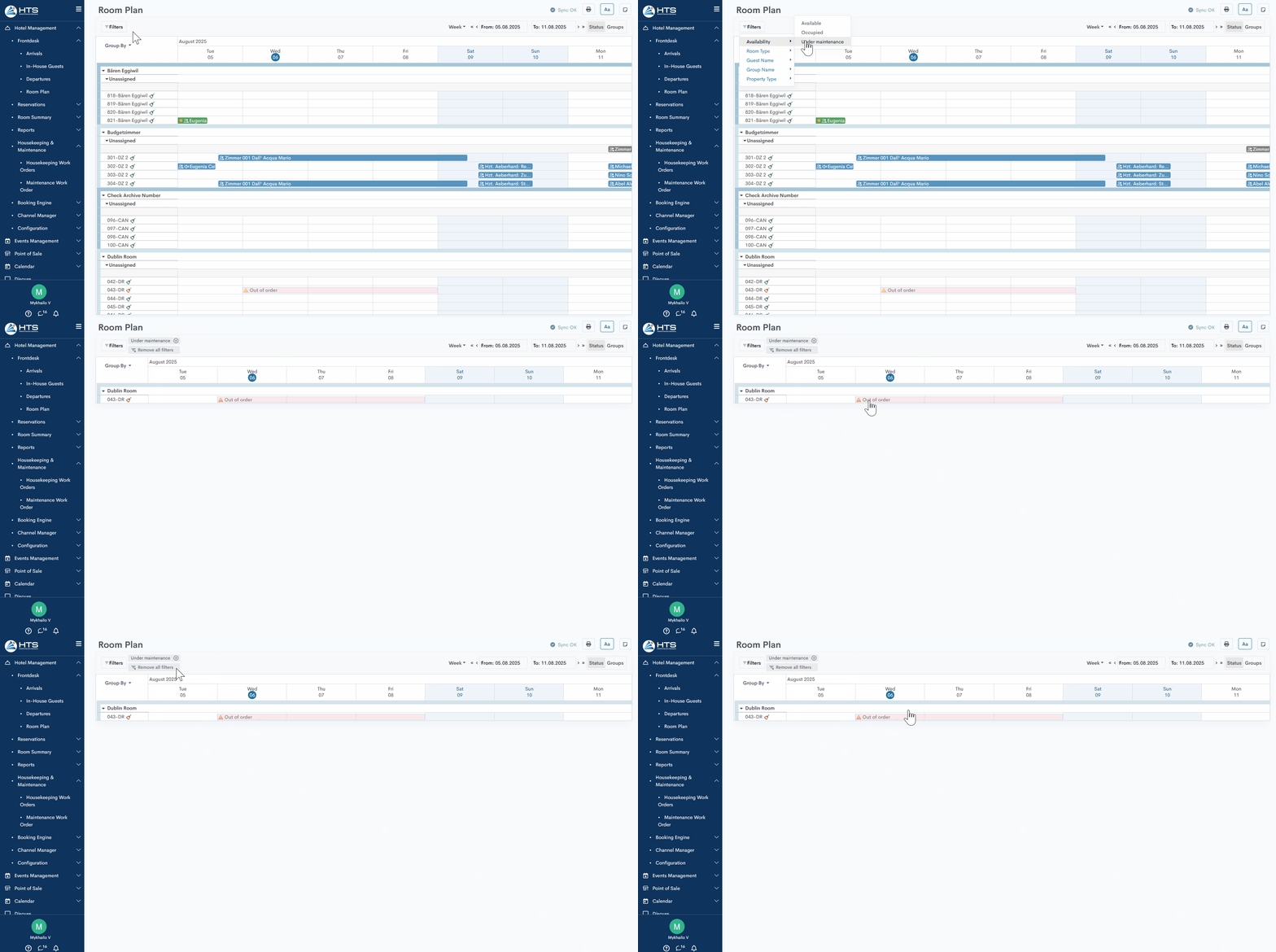
Maintenance – shows rooms that are marked as unavailable for sale due to maintenance.
Room Type
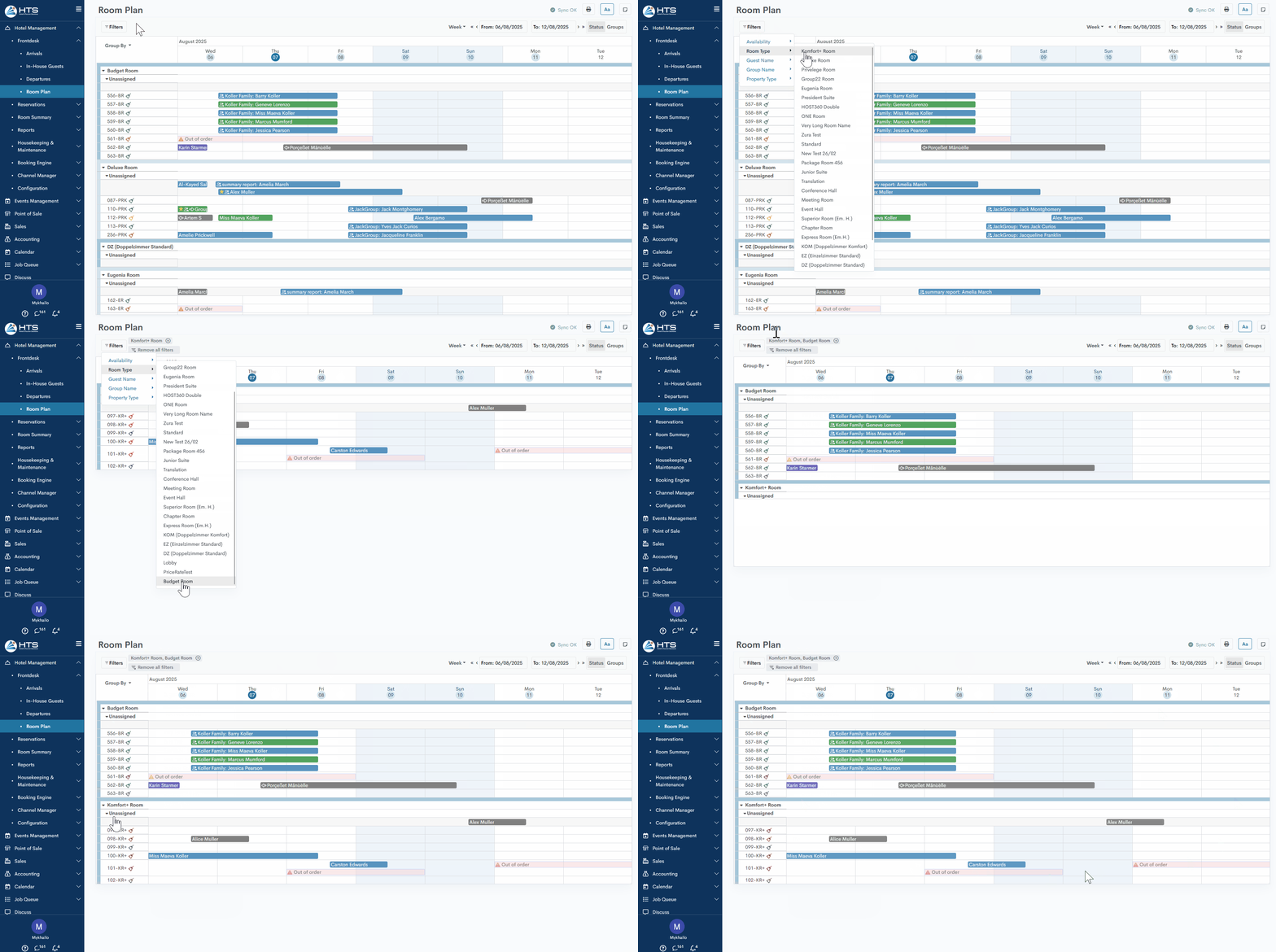
The next filter option is room type. When this filter is applied, the system will display all reservations within the selected room types for the specified period. This works for both hotel rooms and event rooms. When multiple room types are selected, the system will display them separated by commas.
Guest/Group Name
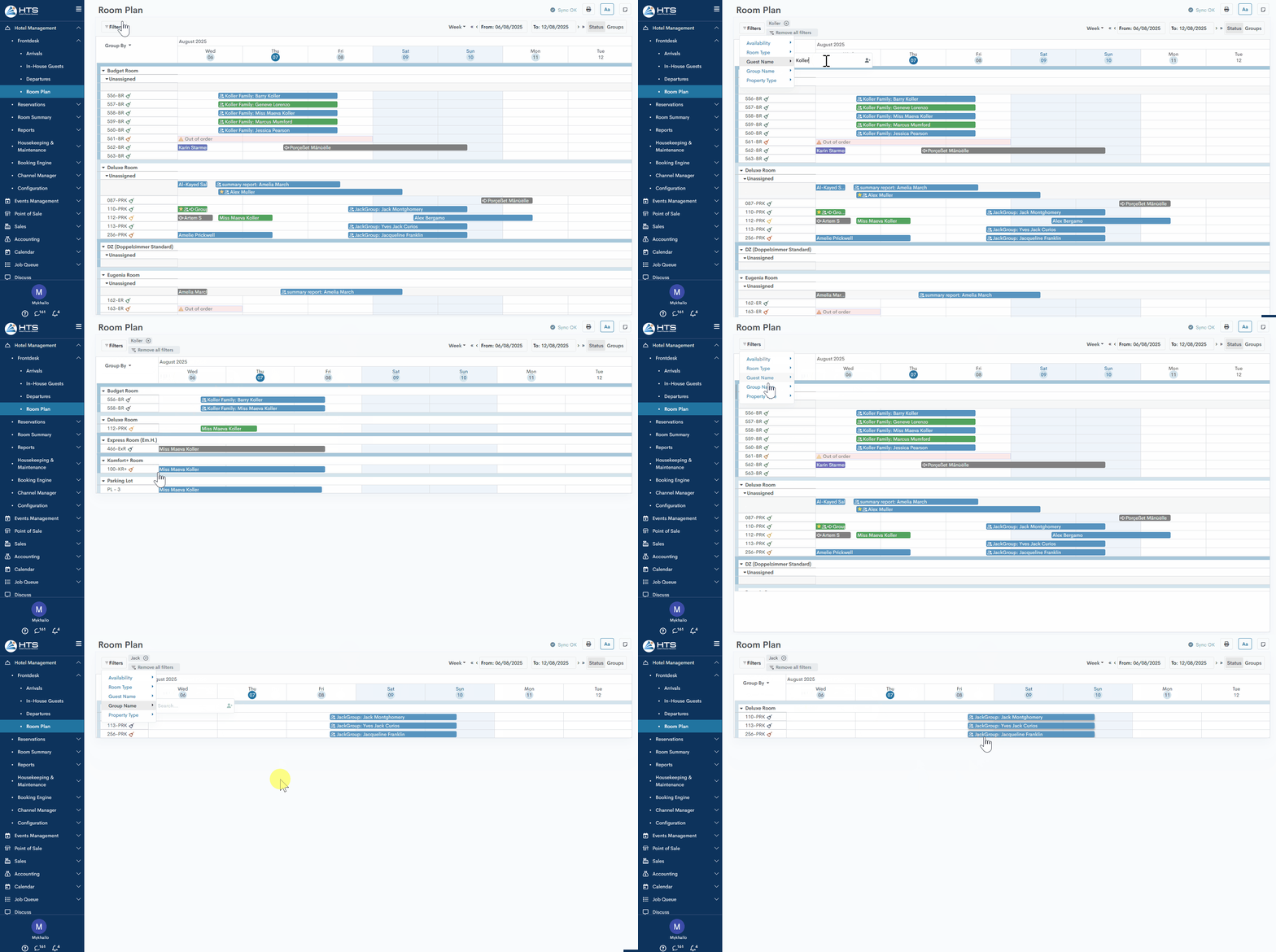
The system also allows filtering by guest name or group name. When a name is entered, the system will display the reservations that match the filter criteria.
Property Items
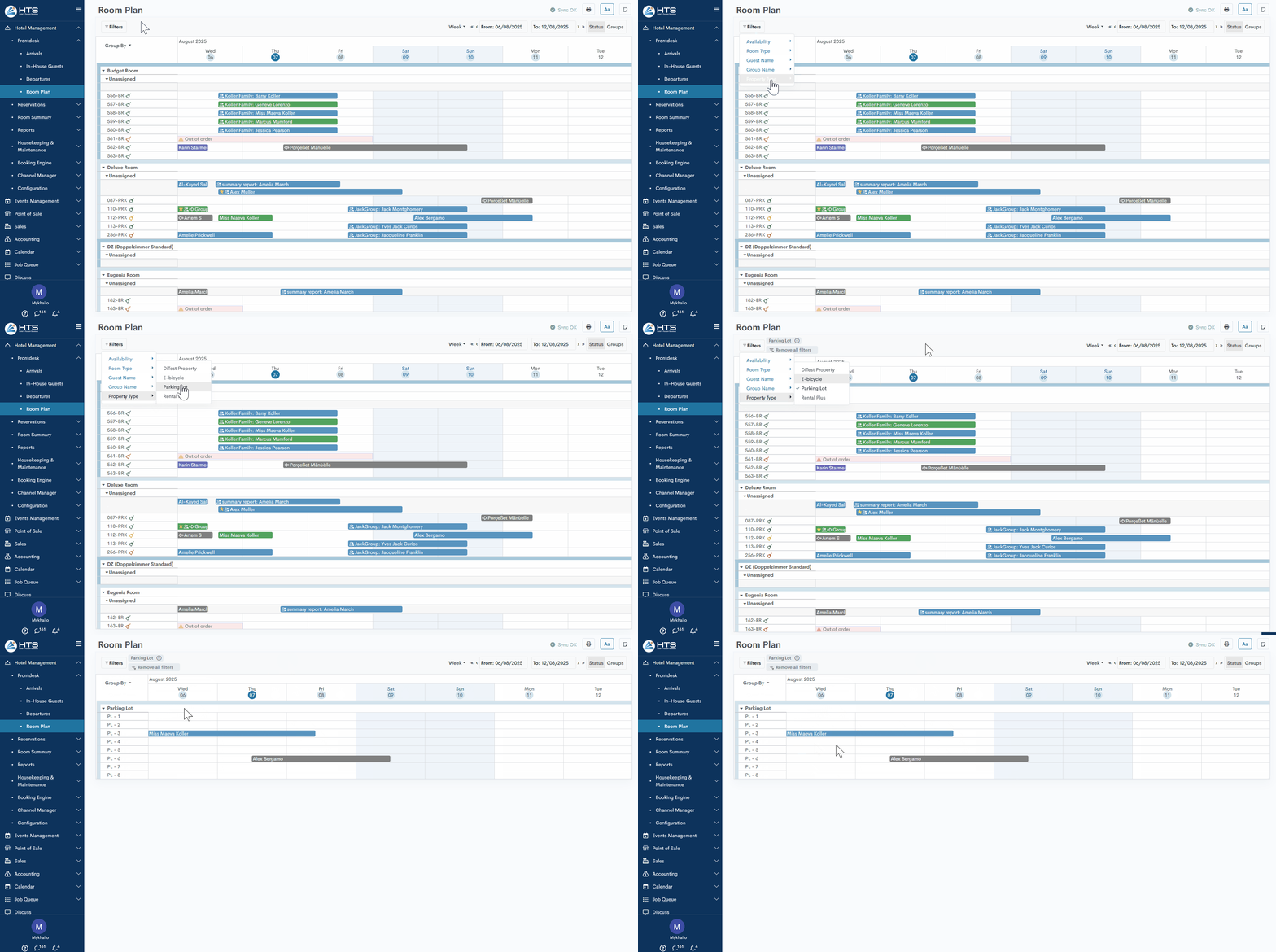
A separate filter is also available for rental property items. With just a few clicks, the system will help you display all current reservations for rental items.
Momentan sind keine Kommentare vorhanden.
, um als erster einen Kommentar zu hinterlassen.